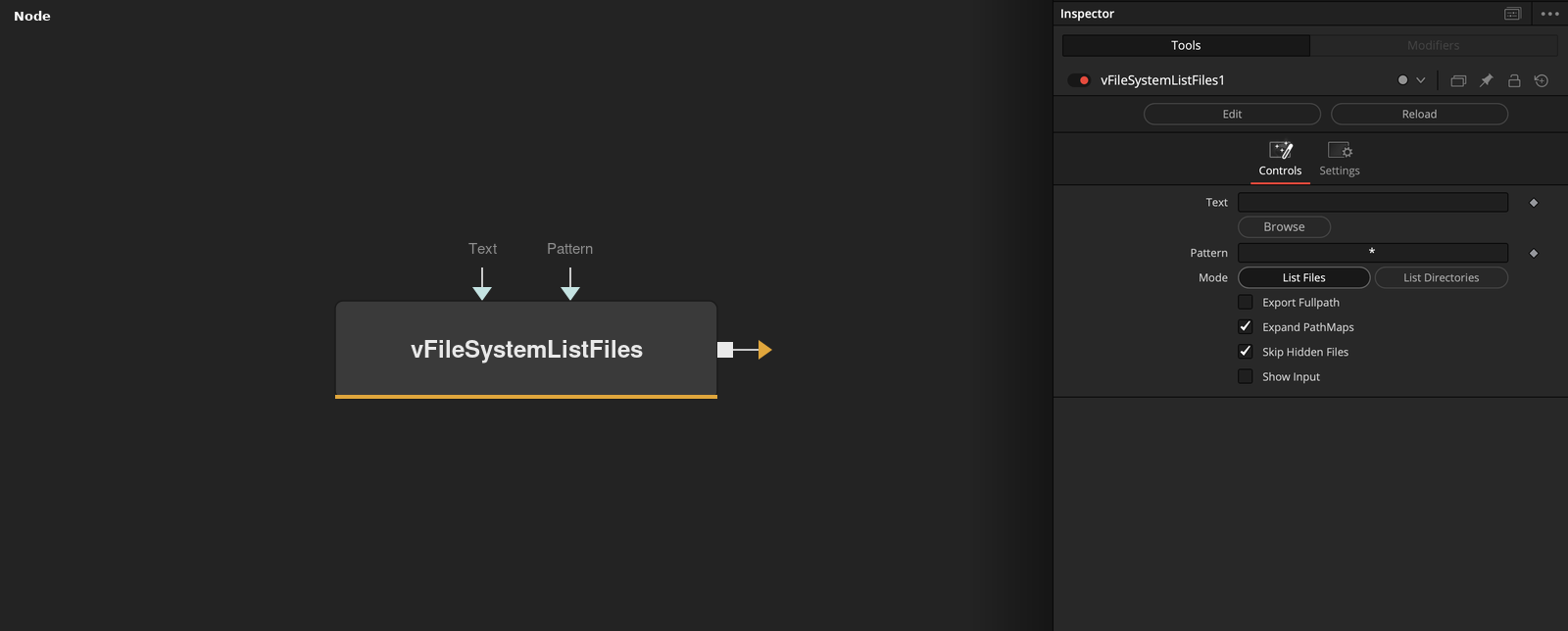
Creates a Fusion Text object with a list of the folder contents This node scans the contents of a folder path defined in the "Text" field. The output is created as a text based multi-line list of files or folders. The "Pattern" field is used to enter part of the filename that you would like to match in the output. An asterisk character is supported as a wildcard symbol to help with partial filename entry. The Pattern field is typically used to help find files by their extension by entering a value like "*.exr", "*.png", "*.mov", "*.mp4", etc. The Mode control can be set to "List Files" or "List Directories". This allows you to filter the output. If you enable the "Export Fullpath" checkbox the full absolute filepath for each item is returned. If the checkbox is disabled, only the filename of the resource is returned without any folder path elements included. The "Expand PathMaps" checkbox will automatically convert any relative filepaths into absolute filepaths on the output. The "Skip Hidden Files" checkbox is used to ignore hidden files like ".DS_Store" and "Thumbs.db" documents, along with UNIX style filenames that start with a period. This helps reduce clutter on file listing based outputs.
Core / FileSystemFileSystem
Parameters
| Parameter | Type | Default | Description |
|---|
| Text | Text | — | — |
| Pattern | Text | — | — |
| Mode | Float | List Files | — |
| Export Fullpath | Integer | 0.0 | — |
| Expand PathMaps | Integer | 1.0 | — |
+2 more parameters
| Parameter | Type | Default | Description |
|---|
| Skip Hidden Files | Integer | 1.0 | — |
| Show Input | Integer | 0.0 | — |