vFileSystemSymlink
Creates a Symbolic Link to a file or folder on macOS, Linux, and Windows A Symlink (also known as a Symbolic link) can be thought of as a fancier (and far more posh) Linux file system style version of a Windows shortcut, or a macOS alias. This node creates Symlinks that are known as "soft-links". If you are working with locally stored and managed temp files on a render node, instead of copying an image sequence, and doubling disk space usage, you can Symlink the files and save your storage for new data. Be sure to document in your workflow notes that these files are interim scratch files that are to be automatically cleaned up/removed, and not to be backed up or managed as assets. Symlinks can be an attractive technique to use if you are copying a large quantity of files on disk, merely for the purpose of renaming the files temporarily in order to unify the naming convention of an image sequence. This happens when you are trying to manage original "camera named" footage into something tidy and symmetrical. This type of operation is typically done for convenience when doing data processing in a temp folder where you need to separate the intermediate files, and your output files from the source media. How to tell a file is a Symlink: macOS / Linux If you are looking at files on disk and trying to tell if it is a symlink or not, you can type "ls -la" into a Terminal window on macOS/Linux and you will see a file is indicated as a soft-link with an arrow listed next to the filename in the output like this: % ls -la CameraA-Link.0001.jpg -> /Users/vfx/Reactor/Deploy/Comps/KartaVR/WarpStitch/WarpStitch Under the Bridge/Media/CameraA.0001.jpg In the macOS Finder folder browsing window a symlinked file has an "arrow icon" overlaid over the document icon. Windows If you are looking at files on disk and trying to tell if it is a symlink or not, you can type "dir" into a Command Prompt window on Windows and you will see a file is indicated as a soft-link with the word "<SYMLINK>" in the directory contents listing output like this: dir Volume in drive C has no label. Volume Serial Number is X00X-XX00 Directory of C:\Users\vfx\AppData\Local\Temp\Vonk\0001 08/20/2022 10:51 PM <DIR> . 08/20/2022 10:51 PM <DIR> .. 08/20/2022 10:51 PM <SYMLINK> CameraA-Link.0001.jpg [C:\ProgramData\Blackmagic Design\Fusion\Reactor\Deploy\Comps\KartaVR\WarpStitch\WarpStitch Under the Bridge\Media\CameraA.0001.jpg] 1 File(s) 0 bytes 2 Dir(s) 277,488,435,200 bytes free In the Windows Explorer folder browsing window a symlinked file has an "arrow icon" overlaid over the document icon as well. Windows and Symlink Based File Permissions If you want to create a symlink without using Administrator permissions on Windows systems, you need to open the Windows operating system "Settings > Privacy & security > For developers" preference to enable the "Developer Mode".
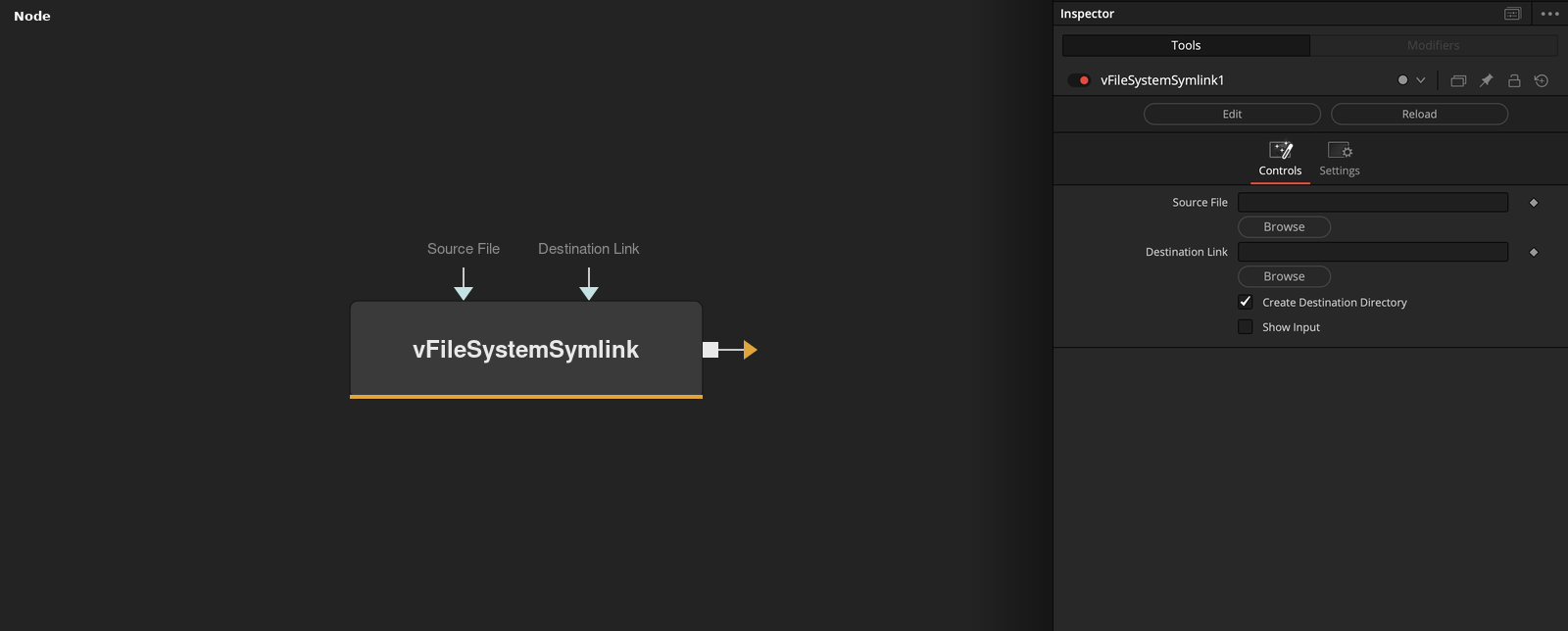
Parameters
| Parameter | Type | Default | Description |
|---|---|---|---|
| Source File | Text | — | — |
| Destination Link | Text | — | — |
| Create Destination Directory | Integer | 1.0 | — |
| Show Input | Integer | 0.0 | — |