vPointFromMousePos
Return a Fusion Point object that holds the current mouse X & Y cursor position Coord Mode The "Coord Mode" multi-button control allows you to define the units used when reporting the mouse position. The "Native" option will return the original unmodified "raw" cursor position coordinates. The "Normalized" option will return a 0-1 range value for the X/Y cursor position. Screen Dimensions The normalization process can be carried out using either the "Manual Entry" option which is based upon manually entered screen width and height parameters along with a screen ui size scaling parameter, or through using the "Fu Prefs" option which is based upon the existence of a Fusion preferences "Layout" page based saved window size value. If no Fusion preferences based window sizing parameters are found you will see an error reported to the Console window when the "Fu Prefs" option is enabled. The message reported is: [Error] The Fusion window size preference is undefined. Please save an initial window position in the Layout Preference section. Note: Make sure to load the vPointFromMousePos node's output into the left or right viewer window before displaying a downstream node like a b-spline shape and a Transform node that is driven by the mouse position value via a "Connect To" approach. Failure to view the vPointFromMousePos node before displaying the downstream node will likely lead to lockups in Fusion v18+.
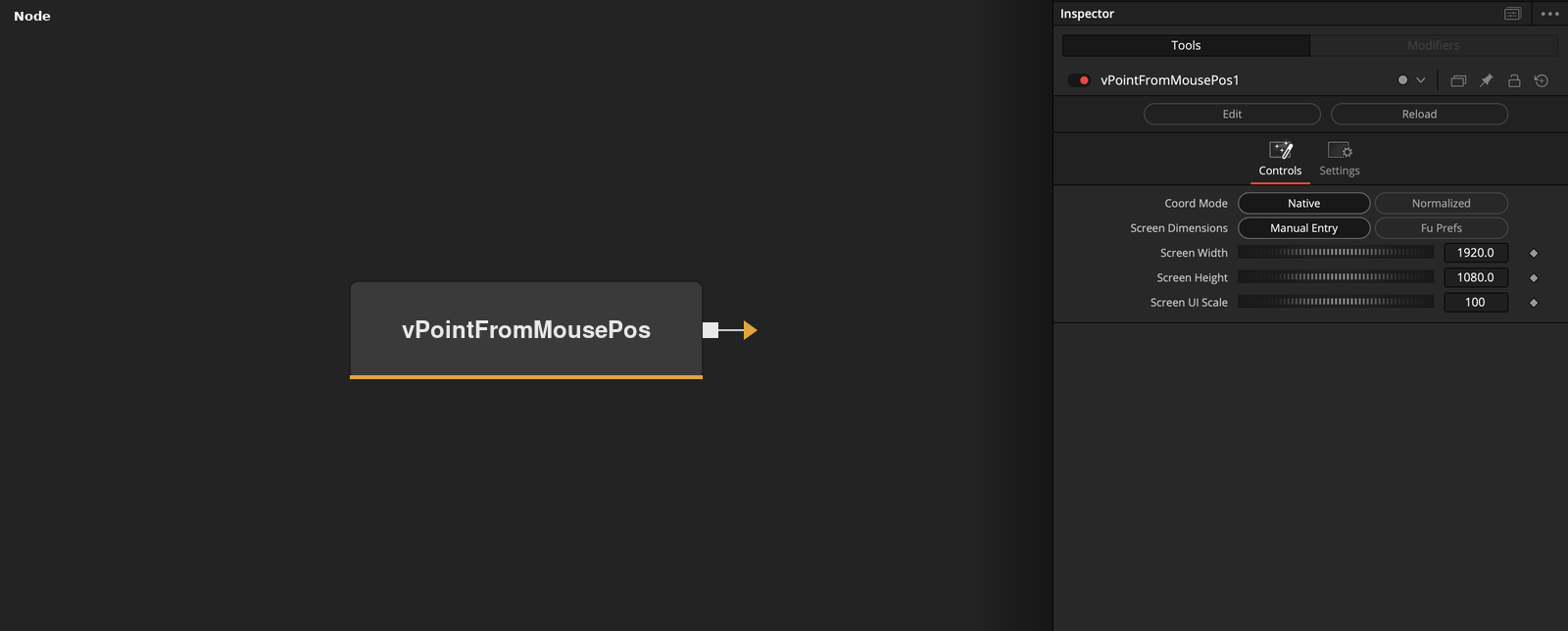
Parameters
| Parameter | Type | Default | Description |
|---|---|---|---|
| Coord Mode | Float | Native | — |
| Screen Dimensions | Float | Manual Entry | — |
| Screen Width | Float | 1920 | — |
| Screen Height | Float | 1080 | — |
| Screen UI Scale | Integer | 100 | — |