vTextReadLine
Creates a Fusion Text object by extracting a single line of text from a multi-line text block The "Index" control accepts integer based number input connections. Typically a vNumberCompReqTime or vNumberCompCurrentTime node will be used to scan through the text input contents one frame at a time. If your timeline start frame is not frame 1, you can use a vNumberAdd / vNumberSubtract node to shift the frame incrementing value that is fed into the "Index" control. This allows your starting frame of either frame 0, frame 1000, or frame 1001 to be accessed effortlessly as an index value of 1 (meaning line one). The counterpoint to the vTextReadLine node is the vTextAccumulator node that combines single line elements of text into a multi-line text block of text. The "Display Lines" control is used to adjust how many visible lines of text are shown in the preview area at once. This number can be lowered if you want to have the vTextViewer node shortened to reduce the amount of vertical screen space used in the Inspector. The "Wrap Lines" checkbox makes it possible to enable/disable line wrapping in the Input field preview area.
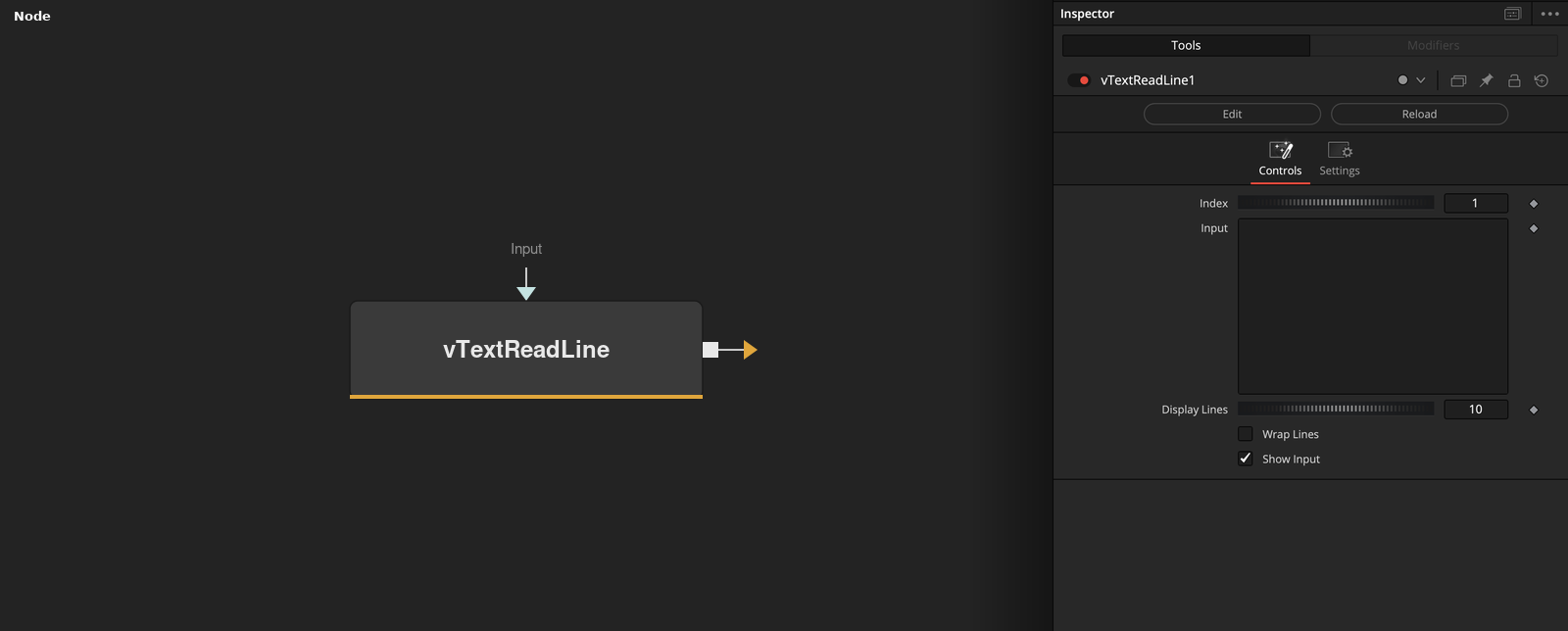
Parameters
| Parameter | Type | Default | Description |
|---|---|---|---|
| Index | Integer | 1 | — |
| Input | Text | — | — |
| Display Lines | Integer | 10 | — |
| Wrap Lines | Integer | 0.0 | — |
| Show Input | Integer | 1.0 | — |