Lightfielder Viewport | Hotkeys
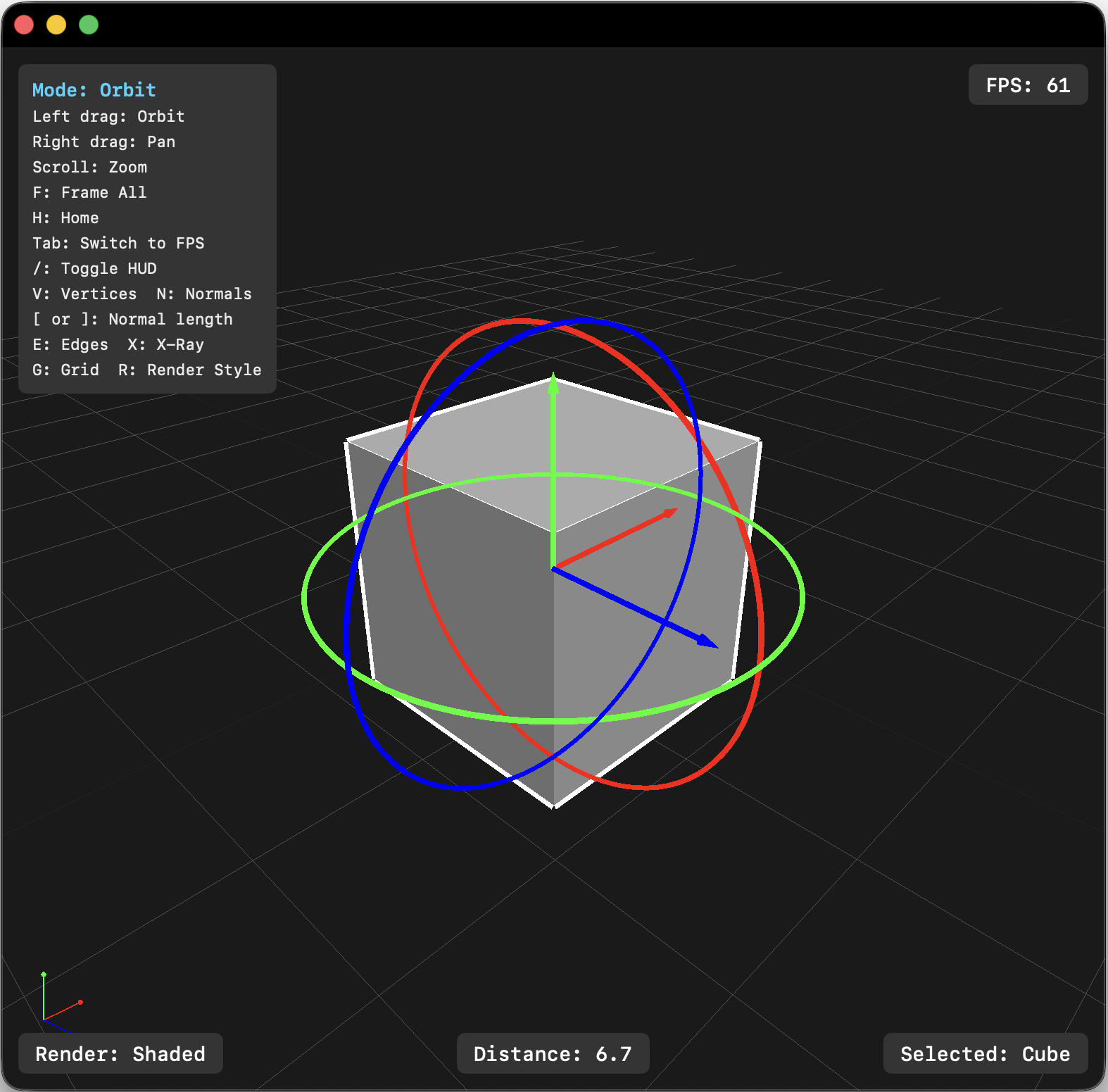
General
| Key | Action |
|---|---|
Tab | Toggle camera mode (Orbit / FPS) |
Q | Selection mode |
E | Transform mode |
F | Frame all geometry in viewport |
H | Return camera to home position |
R | Cycle render style |
F6 | Toggle History Stack window |
F7 | Toggle Outliner window |
F8 | Toggle Attributes window |
Display Toggles
| Key | Action |
|---|---|
G | Toggle grid |
V | Toggle vertex markers |
N | Toggle face normals |
X | Toggle X-Ray overlay |
[ / ] | Decrease / increase normal length |
/ | Toggle HUD visibility |
Edit
| Shortcut | Action |
|---|---|
⌘ + Z | Undo |
⌘ + Shift + Z | Redo |
⌘ + X | Cut |
⌘ + C | Copy |
⌘ + V | Paste |
⌘ + A | Select All |
⌘ + Shift + A | Deselect All |
⌘ + D | Duplicate selected object |
⌘ + G | Group selected objects |
⌘ + Shift + G | Ungroup selected objects |
⌫ | Delete selected objects |
⌘ + H | Hide / Show selected object |
File
| Shortcut | Action |
|---|---|
⌘ + N | New Scene |
⌘ + O | Open Scene |
⌘ + S | Save Scene |
⌘ + Shift + S | Save Scene As |
Mouse Controls (Orbit mode)
| Action | Input |
|---|---|
| Orbit | Left drag |
| Pan | Right drag or middle drag |
| Zoom | Scroll wheel |
| Select object | Left click (in Selection mode) |
Mouse Controls (FPS mode)
| Action | Input |
|---|---|
| Look | Left drag |
| Move | WASD / Arrow keys |
| Move up/down | Space / Shift |
| Move forward/back | Scroll wheel |
Menu Entries
File
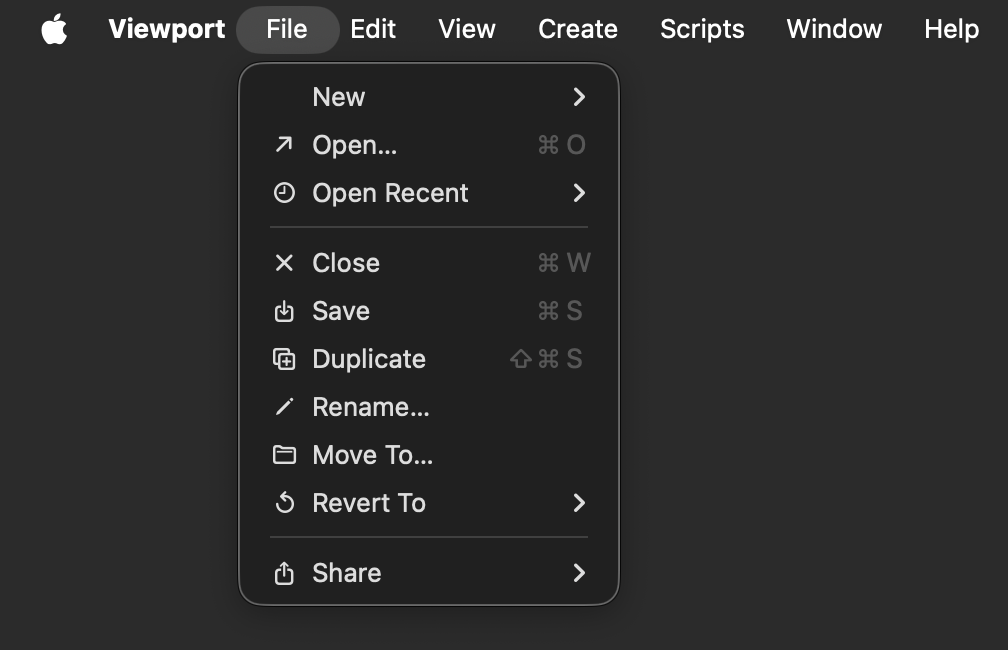
| Item | Shortcut |
|---|---|
| New > New Document | ⌘ + N |
| Open… | ⌘ + O |
| Open Recent > | |
| Save | ⌘ + S |
| Duplicate | ⌘ + Shift + S |
| Rename | |
| Move To… | |
| Revert To… | |
| Share |
Edit
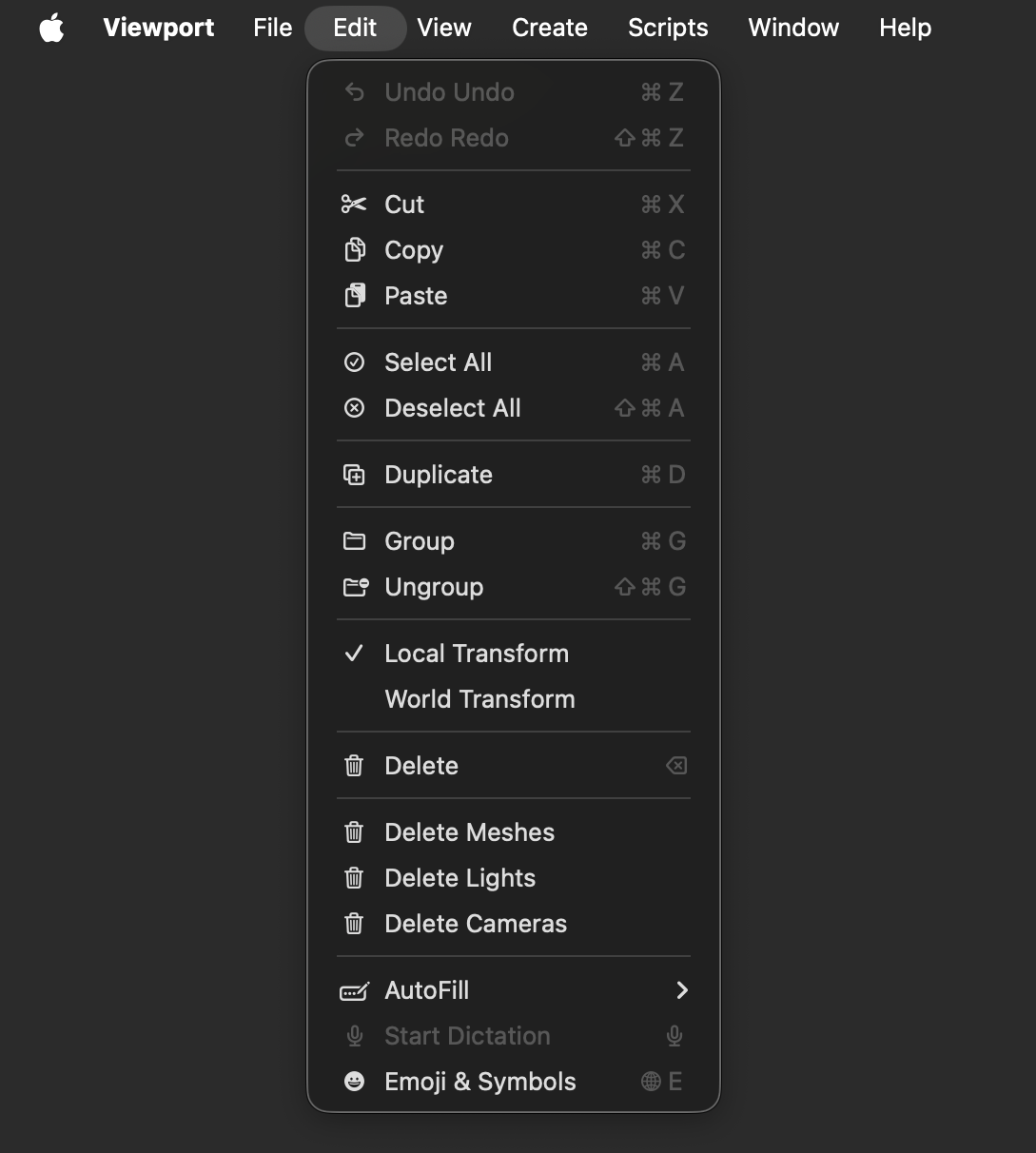
| Item | Shortcut |
|---|---|
| Undo | ⌘ + Z |
| Redo | ⌘ + Shift + Z |
| Cut | ⌘ + X |
| Copy | ⌘ + C |
| Paste | ⌘ + V |
| Select All | ⌘ + A |
| Deselect All | ⌘ + Shift + A |
| Duplicate | ⌘ + D |
| Group | ⌘ + G |
| Ungroup | ⌘ + Shift + G |
| Local Transform | (checkmark) |
| World Transform | (checkmark) |
| Delete | ⌫ |
| Delete Meshes | (no shortcut) |
| Delete Lights | (no shortcut) |
| Delete Cameras | (no shortcut) |
View
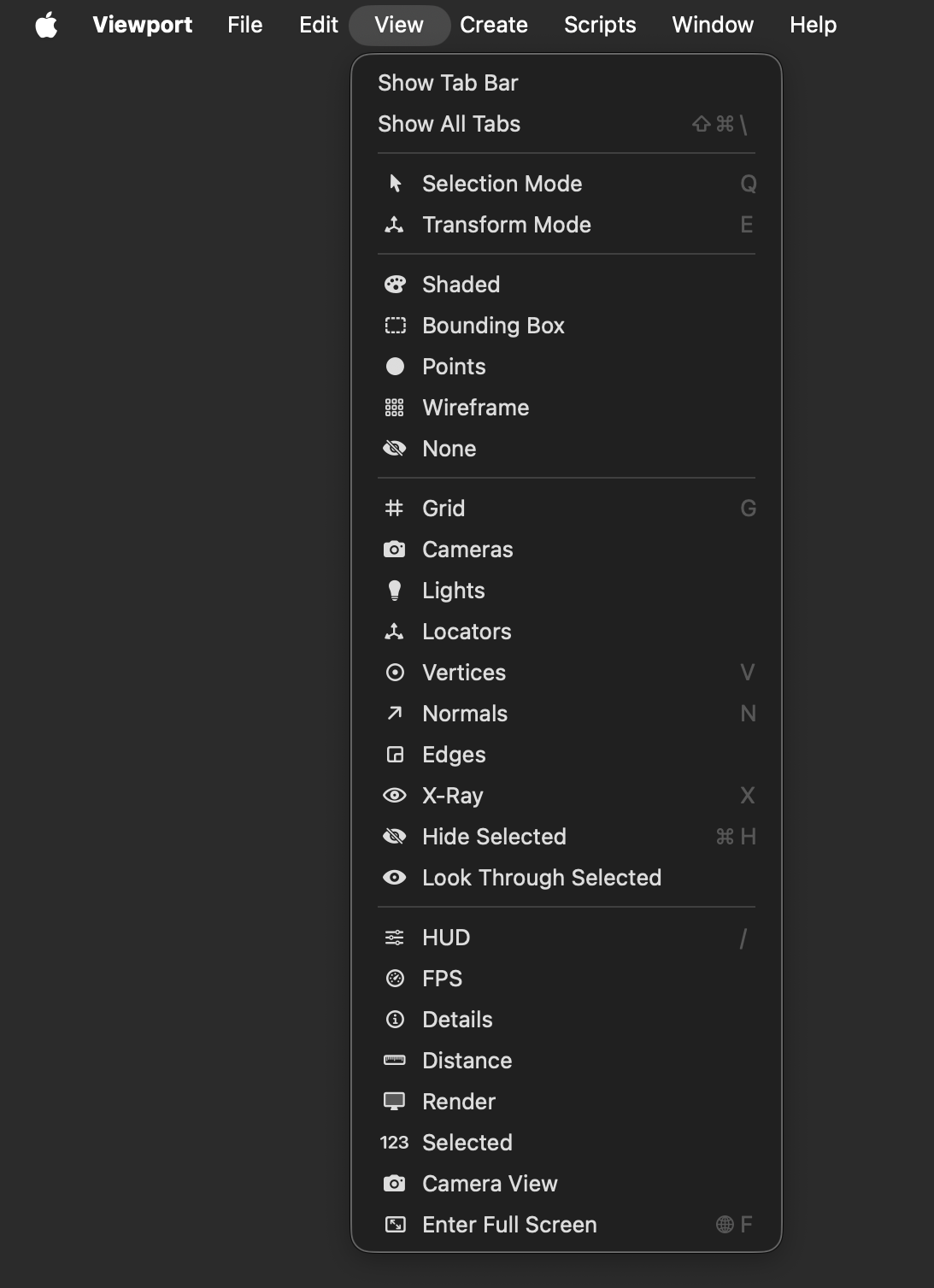
| Item | Shortcut |
|---|---|
| Show Tab Bar | |
| Show All Tabs | Shift + ⌘ + \ |
| Selection Mode | Q |
| Transform Mode | E |
| Shaded | |
| Bounding Box | |
| Points | |
| Wireframe | |
| None | |
| Grid | G |
| Cameras | |
| Lights | |
| Locators | |
| Vertices | V |
| Normals | N |
| Edges | |
| X-Ray | X |
| Hide Selected | ⌘ + H |
| Look Through Selected | |
| HUD | / |
| FPS | |
| Details | |
| Distance | |
| Render | |
| 123 | |
| Selected | |
| Camera View | |
| Enter Full Screen | Func + F |
Create
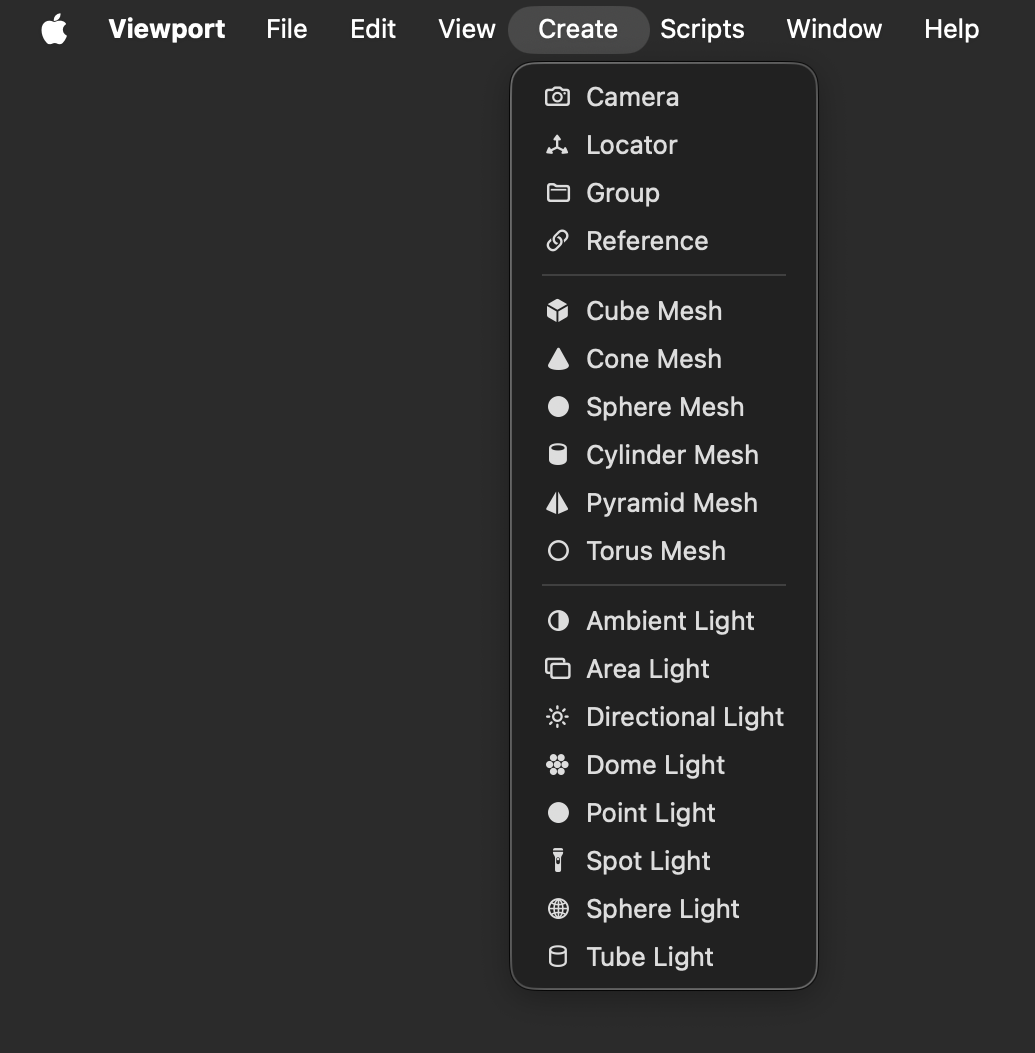
| Item | Shortcut |
|---|---|
| Camera | |
| Locator | |
| Group | |
| Reference | |
| Cube Mesh | |
| Cone Mesh | |
| Sphere Mesh | |
| Cylinder Mesh | |
| Pyramid Mesh | |
| Torus Mesh | |
| Ambient Light | |
| Area Light | |
| Directional Light | |
| Dome Light | |
| Point Light | |
| Spot Light | |
| Sphere Light | |
| Tube Light |
Scripts
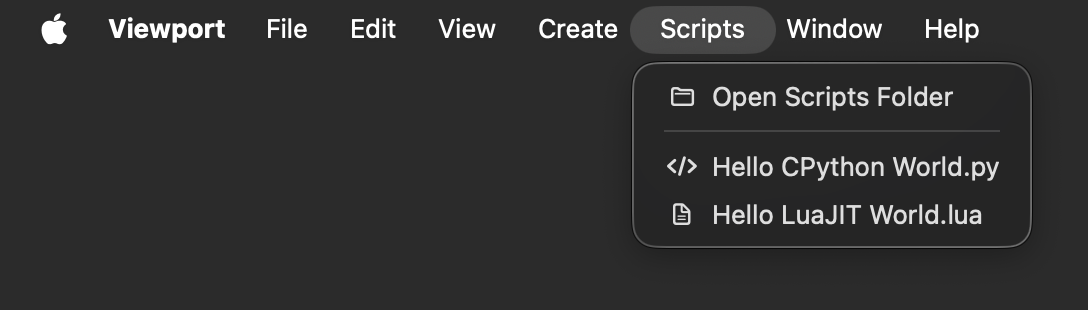
| Item | Shortcut |
|---|---|
| Open Scripts Folder | |
| Hello CPython World.py | |
| Hello LuaJIT World.py |
- The
Open Scripts Foldermenu item uses the OS native folder browsing window to show the~/Library/Application Support/com.Lightfielder.Viewport/Scripts/folder in Finder. - The Listed scripts
.pyand.luafiles in the Scripts folder appear as menu items
Window
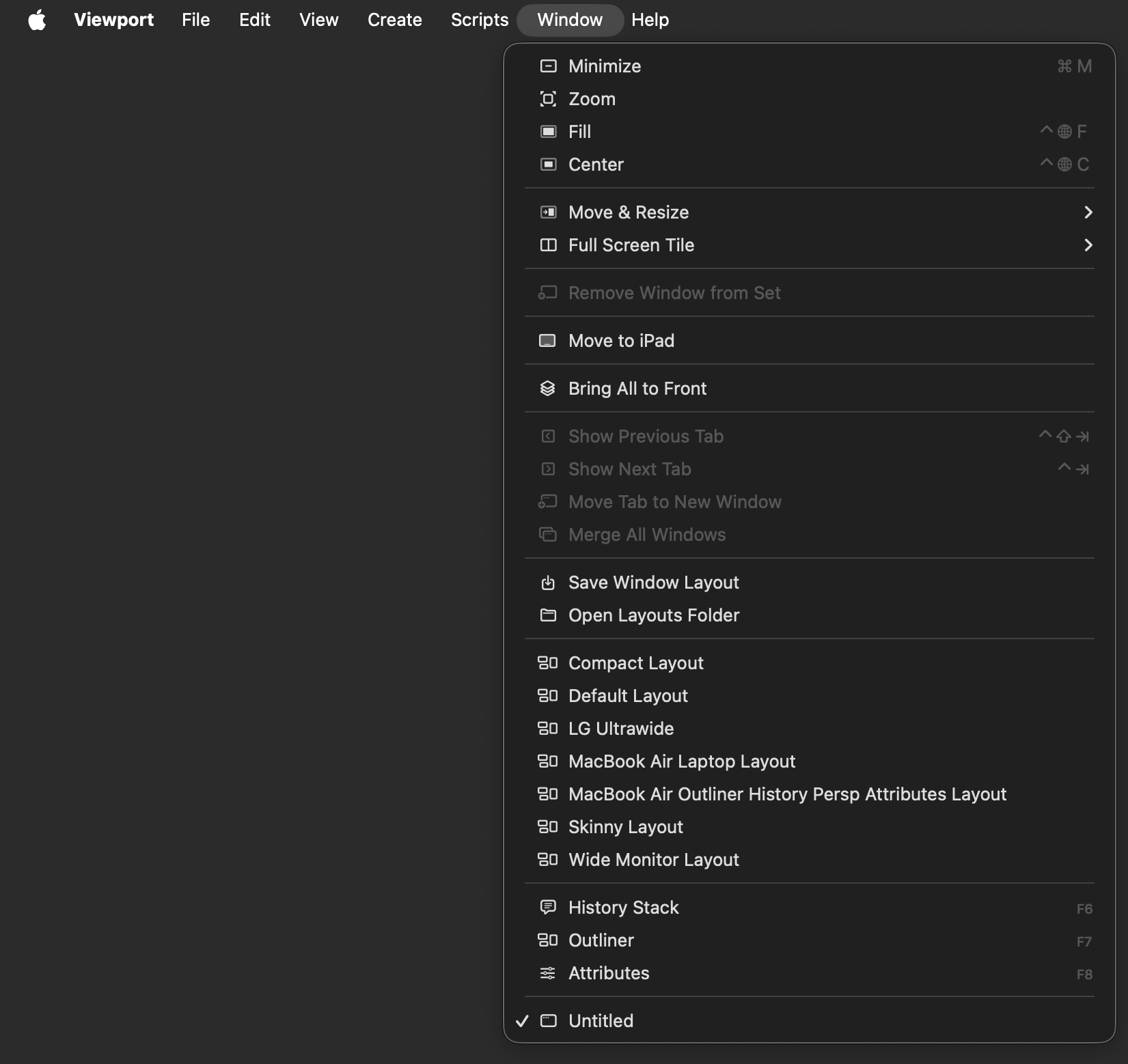
| Item | Shortcut |
|---|---|
| Bring All to Front | |
| Save Window Layout | |
| Open Layouts Folder | |
| Compact Layout | |
| Default Layout | |
| LG Ultrawide | |
| MacBook Air Laptop Layout | |
| MacBook Air Outliner History Persp Attributes Layout | |
| Skinny Layout | |
| Wide Monitor Layout | |
| History Stack | F6) |
| Outliner | F7 |
| Attributes | F8 |
- Save Window Layout menu item saves the current window positions/sizes as a
.jsonclayout file - Open Layouts Folder menu item opens the Layouts directory in Finder
- Saved layouts menu item shows the previously saved layouts as loadable menu items
History Stack
The History Stack window (F6) displays a three level hierarchy of all undoable actions in collapsible speech-bubble capsules. Each event block shows a timestamp, duration, and category color. Events of the same category are automatically grouped into a parent capsule with dynamically appended children.
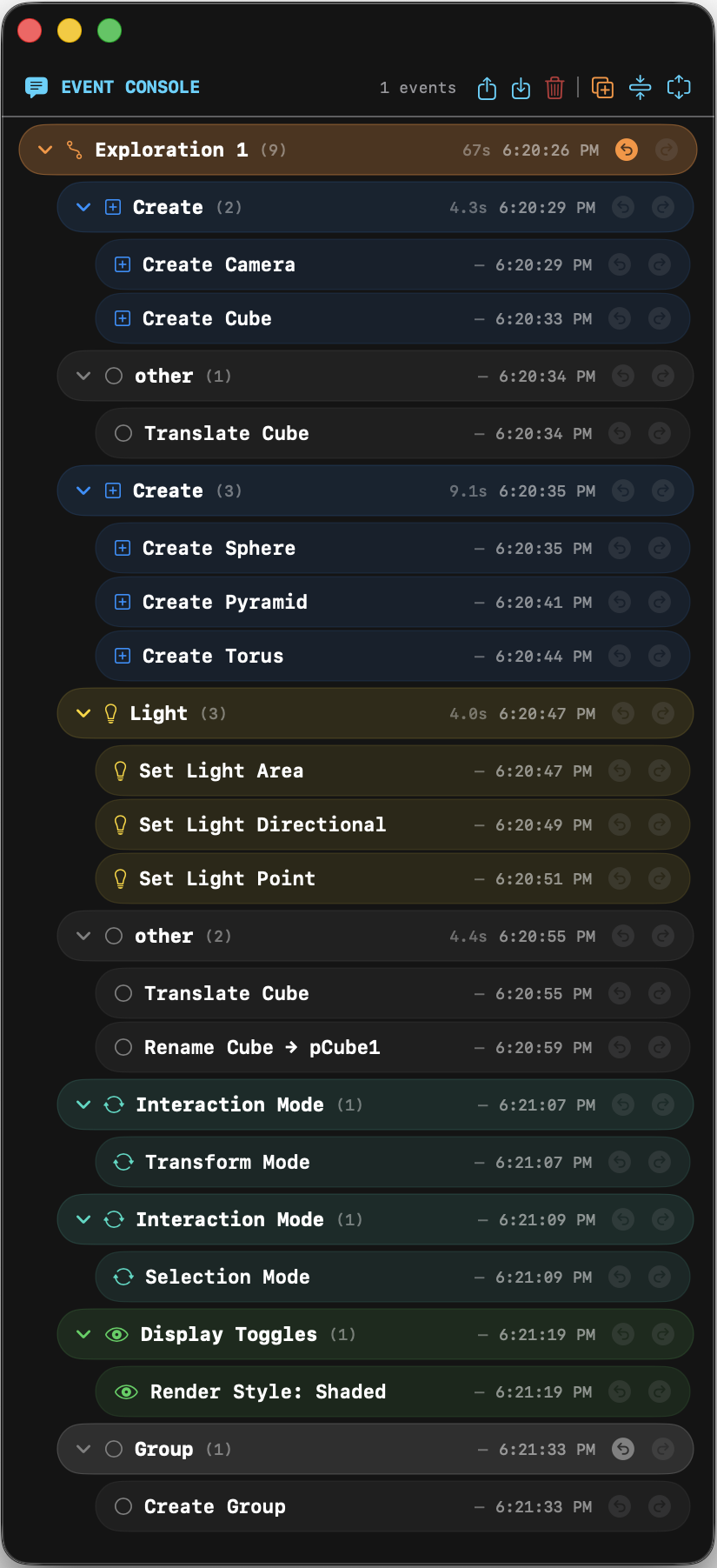
Three-Level Hierarchy
-
Exploration Blocks (root level)
Each creative iteration is wrapped in an "Exploration N" block. When you undo then perform new actions, a new exploration block is automatically created, preserving old history as inactive (diagonal stripe overlay). Click the+button in the toolbar to manually create a new exploration branch. Click an exploration block's title to inline-rename it. -
Category Groups (children of exploration blocks)
Auto-grouped by event category (Navigation, Display Toggles, Selection, Create, etc.). Each category group composites its undo/redo across all its individual operations. Undo/redo at this level is⌘+Z/⌘+Shift+Zwithin the current block (within-block undo), or jumps between entire exploration blocks (block-level undo when at block boundaries). -
Individual Operations (children of category groups)
Atomic events like "Zoom", "Pan", "Toggle Wireframe", "Adjust Up". Always undone/redone as part of their parent category group.
Undo/Redo Behavior
-
Within-block
⌘+Zundoes the last category group in the current exploration block.⌘+Shift+Zredoes the last undone category group. Each category group's children are undone/redone together. -
Block-level
When at the first category group of a block,⌘+Zjumps to the previous exploration block (undoing all its events).⌘+Shift+Zfrom a fully-active block jumps to the next exploration block. Block-level navigation is also available via the ↩/↪ buttons on each block. -
Exploration branching
If you undo to a previous block and perform new actions, a new "Exploration N" block is created with those actions, while the old future blocks remain visible as inactive history. You can always navigate back to them.
Save / Load
The Load and Save toolbar buttons default to the History/ subfolder under ~/Library/Application Support/com.Lightfielder.Viewport/. Saved JSONC files store the full event tree including event IDs, categories, timestamps, elapsed times, the current undo/redo position, within-block undone event IDs, and per-event fold/unfold states. Loading a file fully restores the History Stack UI to its saved state.
Toolbar
| Button | Action |
|---|---|
| Open Events | Load .jsonc history file from disk |
| Save Events | Save history to .jsonc file |
| Trash | Clear all events and start fresh |
+ (orange) | Create a new exploration block manually |
| Compress | Fold all group capsules |
| Expand | Unfold all group capsules |
Event Categories
| Category | Color | Icon | Examples |
|---|---|---|---|
| Exploration | Orange | point.topleft.down.curvedto.point.bottomright.up | Exploration 1, Exploration 2 |
| Edit | Red | pencil | Delete, Delete Meshes, Delete Lights, Delete Cameras, Duplicate |
| Selection | Pink | checkmark.circle | Select All, Deselect All, Solo On/Off |
| Navigation | Cyan | move.3d | Orbit, Pan, Zoom, Move, Frame All, Go Home |
| Nav Group | Cyan | square.stack.3d.forward.dottedline | Navigation (grouped) |
| Mode | Purple | arrow.triangle.swap | Switch to orbit/fps |
| Display | Green | eye | Grid, Wireframe, X-Ray, HUD, Vertices, Normals toggles |
| Normal Length | Orange | arrow.up.arrow.down | Adjust Up/Down |
| Create | Blue | plus.square | Create Cube, Sphere, Camera, Locator |
| Light | Yellow | lightbulb | Set Light |
| Scene | White | doc | New/Open/Save Scene |
| Visibility | Teal | eye.fill | Show/Hide object, Enable/Disable light, Solo |
| Transform | Mint | arrow.triangle.2.circlepath | Selection Mode, Transform Mode |
| Reparent | (default) | (default) | Group, Ungroup, Reparented |