vArrayCreateMinMax
Define a numeric range with Min and Max bounds — the essential seed node for arc, grid, and scatter generators.
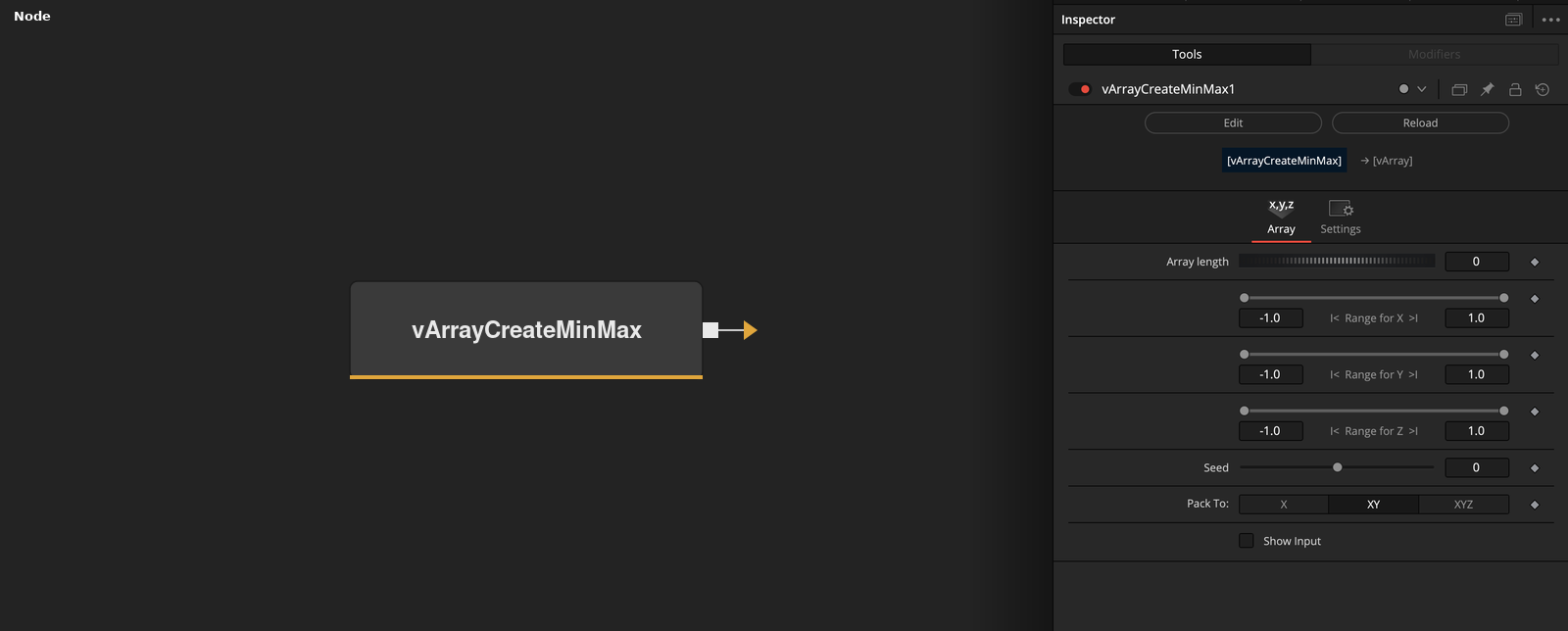
vArrayCreateMinMax creates a compact vArray from a set of Min/Max range pairs for X, Y, and Z axes. It is the standard starting point for any pipeline that needs a defined numeric span — feeding directly into point generators like vArrayPointsOnArc or vArrayPointsOnGrid.
Parameters
| Parameter | Type | Default | Description |
|---|---|---|---|
| Array length | Integer | 0 | Number of values to generate in the output array. Set to 0 to use the range pair count automatically. |
| Range for X (Min / Max) | Range | -1 / 1 | Minimum and maximum bounds for the X axis. Drag the range handles or type values directly. |
| Range for Y (Min / Max) | Range | -1 / 1 | Minimum and maximum bounds for the Y axis. |
| Range for Z (Min / Max) | Range | -1 / 1 | Minimum and maximum bounds for the Z axis. Only used when downstream node expects 3D input. |
| Seed | Integer | 0 | Random seed for procedural variation. Change this value to get different results while keeping Min/Max bounds the same. |
+2 more parameters
| Parameter | Type | Default | Description |
|---|---|---|---|
| Pack To | Dropdown | XY | Output packing format: XY pairs, XYZ triples, or flat 1D sequence. Must match what the downstream generator expects. |
| Show Input | Checkbox | Off | Reveals an array input port on the node, allowing an upstream range array to be passed through or merged. |
Read the full description
vArrayCreateMinMax is the most fundamental creator node in the vArray pipeline. It defines a numeric range across up to three axes — X, Y, and Z — by specifying minimum and maximum values for each. The output is a compact vArray that downstream generators read as a spatial boundary or value span, making it the default way to seed arc, grid, circle, scatter, and spiral generators with precise numeric constraints. Almost every vArray pipeline starts with this node.
The key design principle is separation of concerns: CreateMinMax defines the range, and a generator downstream decides what to do with it. When connected to vArrayPointsOnArc, the X Min/Max values define the angular span of the arc. When connected to vArrayPointsOnGrid, they define the spatial extent of the grid. When connected to vArrayCreateRandom, they constrain the random value output. This means you change the bounds once, here, and every downstream node updates — no duplicated values across the graph.
The Pack To control determines how the array is structured for consumption — XY pairs, XYZ triples, or a flat 1D sequence. This must match what the downstream generator expects, and gets it wrong is the most common source of unexpected output. The Seed parameter introduces deterministic randomisation into the range output when procedural variation is needed. The Show Input toggle reveals a passthrough port, useful for chaining or merging multiple range sources.
Example Connections
- Feeding an arc generator
- Feeding a grid generator
vArrayCreateMinMax.Output -> vArrayPointsOnArc.ArrayA
vArrayPointsOnArc.Output -> vArrayCameraProjection.ArrayA
vArrayCameraProjection.Output -> vArrayShapeRender.ArrayPoint
Background.Output -> vArrayShapeRender.Input
vArrayCreateMinMax.Output -> vArrayPointsOnGrid.ArrayA
vArrayPointsOnGrid.Output -> vArrayCameraProjection.ArrayA
vArrayCameraProjection.Output -> vArrayShapeRender.ArrayPoint
Background.Output -> vArrayShapeRender.Input