vArrayBuffer
Store a rolling frame history of any vArray — the foundation for motion trails, echo effects, and time-offset animations.
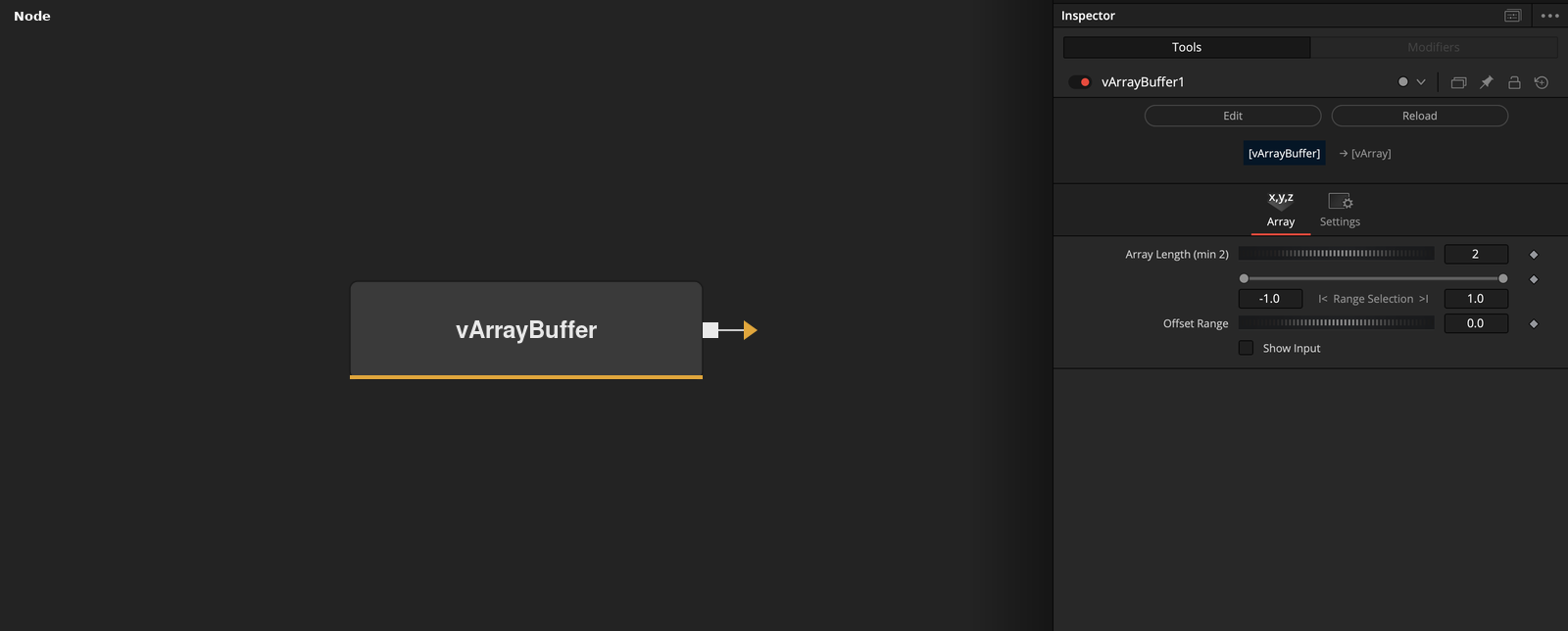
vArrayBuffer implements a FIFO (first-in, first-out) queue that retains a fixed number of previous array states across frames, outputting the accumulated history as a single flat array. Use it wherever you need a point array to remember where it came from — particle trails, motion echoes, ghost frames, and staggered reveal animations.
Parameters
| Parameter | Type | Default | Description |
|---|---|---|---|
| Array Length (min 2) | Integer | 2 | Number of frames retained in the buffer. The output array contains this many frames concatenated together. Minimum 2. Higher values produce longer trails; lower values produce tighter echoes. |
| Offset Range | Integer | 0 | Shifts which buffer entry is treated as the current frame. At 0, output leads with the most recent frame. Increasing the value adds temporal delay between the live array state and what is rendered. |
| Pack To | Dropdown | 0 | Output packing format for the accumulated frame history. Match this to what the downstream node expects — XY pairs or XYZ triples. |
| Show Input | Checkbox | Off | Reveals the ArrayA input port on the node in the Fusion flow. Enable if the upstream connection point is not visible. |
Read the full description
vArrayBuffer is a temporal accumulator — it captures the state of an upstream vArray on every frame and holds the last N frames in memory, where N is set by Array Length. On each new frame the oldest entry is dropped and the new one is pushed in, producing a classic FIFO queue. The output is all stored frames concatenated into a single flat vArray, which downstream nodes treat as one continuous point table. This makes every frame's worth of data available to vArrayCameraProjection and vArrayShapeRender simultaneously, creating motion trail and echo effects with zero expressions.
The Offset Range parameter shifts which entry in the buffer is treated as the current frame, effectively scrubbing backwards through the history. At 0, the output leads with the most recent frame. Increasing the offset delays the output, adding latency between the live position and what gets rendered — useful for creating staggered animations where each trail segment is offset in time rather than space. Pack To controls how the accumulated history is structured: XY pairs or XYZ triples, matching the format expected by the downstream generator or renderer.
The most common use is a motion trail on a moving point array: connect any animated generator to vArrayBuffer, set Array Length to the desired trail length, then feed the output straight into vArrayCameraProjection and vArrayShapeRender. The trail grows during the first N frames as the buffer fills, then stabilises into a fixed-length stream. For smoother trails, increase Array Length; for a tighter, more responsive echo, keep it short. Show Input reveals the ArrayA port explicitly if it isn’t visible in the Fusion flow.
Example Connections
- Motion trail on animated circle
- Buffer to render pipeline
- Trail with displacement
vArrayPointsOnCircle.Output -> vArrayBuffer.ArrayA
vArrayBuffer.Output -> vArrayCameraProjection.ArrayA
vArrayCameraProjection.Output -> vArrayShapeRender.ArrayPoint
Background.Output -> vArrayShapeRender.Input
vArrayBuffer.Output -> vArrayCameraProjection.ArrayA
vArrayCameraProjection.Output -> vArrayShapeRender.ArrayPoint
Background.Output -> vArrayShapeRender.Input
vArrayPointsOnGrid.Output -> vArrayDisplaceValues.ArrayA
vArrayDisplaceValues.Output -> vArrayBuffer.ArrayA
vArrayBuffer.Output -> vArrayCameraProjection.ArrayA
vArrayCameraProjection.Output -> vArrayShapeRender.ArrayPoint
Background.Output -> vArrayShapeRender.Input