vArrayPointsOnCircle
Generate a full 360° ring of evenly spaced points — the fastest way to seed circular layouts, radial data visualisations, and looping animations.
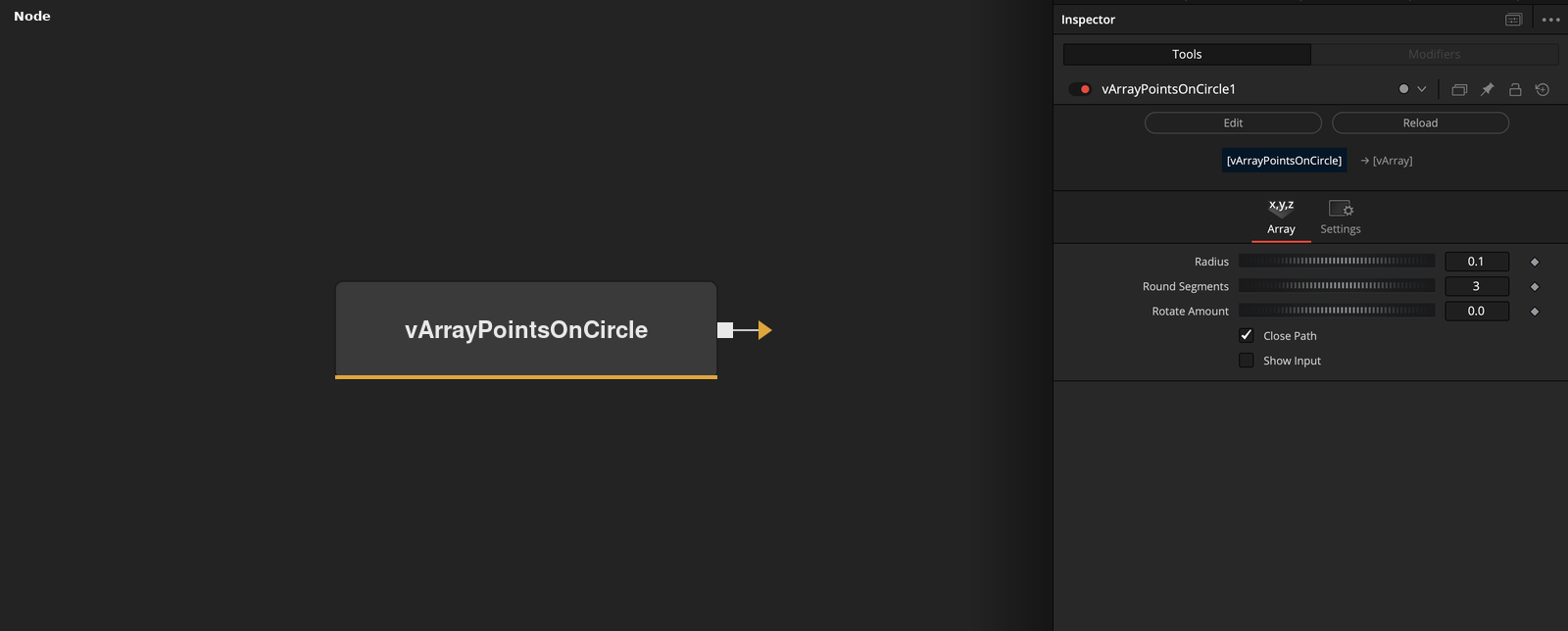
vArrayPointsOnCircle generates a structured array of evenly distributed points around a full circle at a defined radius. It is the go-to starting node when you need a complete ring rather than a partial arc — feeding directly into vArrayCameraProjection and then vArrayShapeRender for immediate visual output.
Parameters
| Parameter | Type | Default | Description |
|---|---|---|---|
| Radius | Float | 0.1 | Radius of the circle in normalised coordinates (0.0–1.0 relative to frame width). Increase to spread points further from centre. |
| Round Segments | Integer | 1 | Number of points distributed evenly around the full 360° ring. Higher values produce denser, more circular-looking output. |
| Point Offset | Integer | 0 | Shifts the index origin around the ring. Use when compositing multiple rings and you need them to phase-offset relative to each other. |
| Rotate Amount | Float | 0 | Rotates the entire ring by degrees. Keyframe this for spinning ring animations without expressions. |
| Show Input | Checkbox | Off | Reveals an ArrayA input port, allowing an upstream point array to be passed through or merged with the generated ring. |
Read the full description
vArrayPointsOnCircle is the simplest full-ring generator in the vArray toolkit. It places a configurable number of points evenly around a 360° circle at a given radius, outputting a standard vArray XYZ point table that any downstream modifier or renderer can consume. For complete rings — dot matrices, clock faces, radial menus, orbital paths, mandala layouts, and looping animation rigs — this is almost always the right starting node.
The Round Segments control sets the total number of points distributed around the ring. Because the spacing is always even, the visual output is perfectly regular — no jitter, no gaps. The Point Offset parameter shifts which index is treated as the zero-degree starting position, which is useful when connecting multiple PointsOnCircle nodes in a composition and you need the rings to phase-shift relative to each other. Rotate Amount rotates the entire ring by a degree value, animatable for spinning effects without touching expressions or the Fusion timeline.
The node slots directly after any range input and before vArrayCameraProjection in the standard pipeline. Because it generates its own geometry rather than transforming upstream data, it needs no ArrayA input by default — Show Input reveals the passthrough port if you want to merge or chain ring arrays. For partial arcs or sweeps across a defined angular range, use vArrayPointsOnArc instead.
Example Connections
- Basic circle render
- Concentric rings (chained)
- With displacement
vArrayPointsOnCircle.Output -> vArrayCameraProjection.ArrayA
vArrayCameraProjection.Output -> vArrayShapeRender.ArrayPoint
Background.Output -> vArrayShapeRender.Input
vArrayPointsOnCircle_inner.Output -> vArrayPointsOnCircle_outer.ArrayA
vArrayPointsOnCircle_outer.Output -> vArrayCameraProjection.ArrayA
vArrayCameraProjection.Output -> vArrayShapeRender.ArrayPoint
Background.Output -> vArrayShapeRender.Input
vArrayPointsOnCircle.Output -> vArrayDisplaceValues.ArrayA
vArrayDisplaceValues.Output -> vArrayCameraProjection.ArrayA
vArrayCameraProjection.Output -> vArrayShapeRender.ArrayPoint
Background.Output -> vArrayShapeRender.Input