vArrayFromOBJ
Import vertex positions from any .OBJ mesh file and convert them into a vArray — the bridge between 3D geometry and the vArray pipeline.
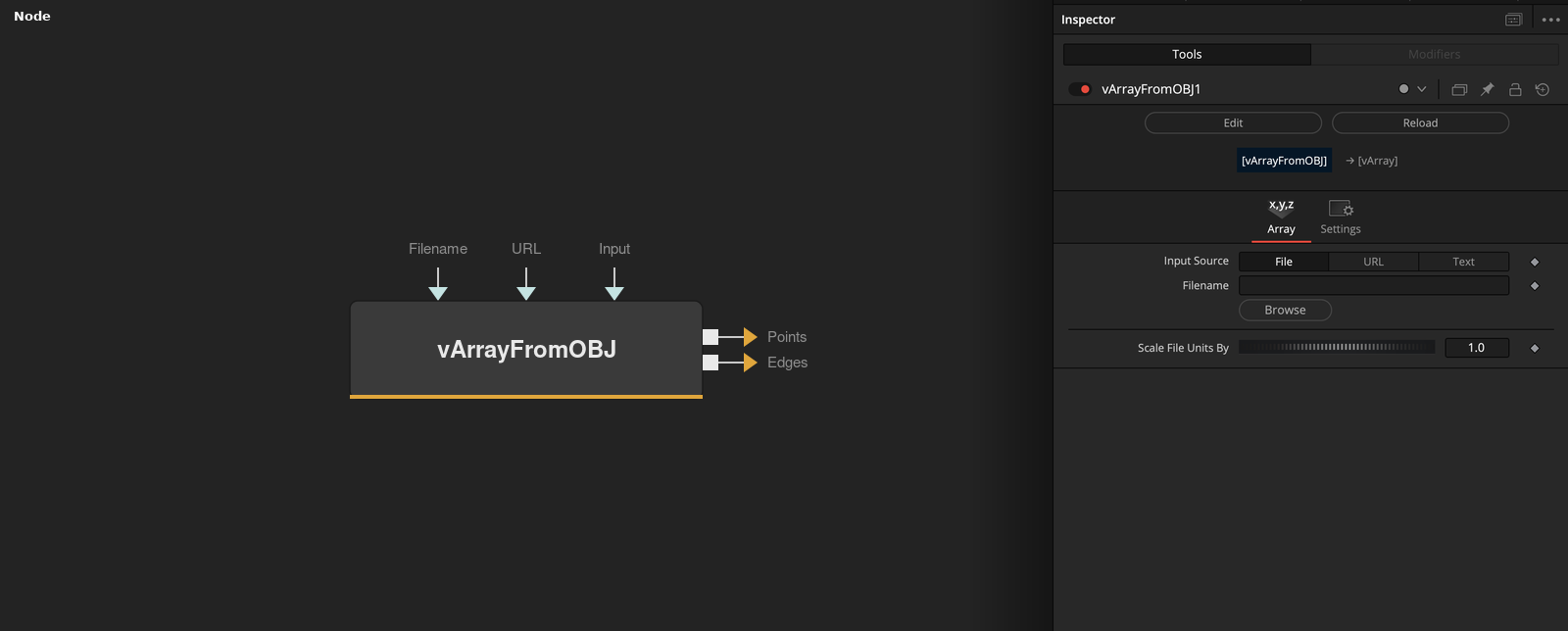
vArrayFromOBJ reads vertex XYZ data from a Wavefront .OBJ file and outputs a vArray of point positions. Use it to drive vArray motion graphics from real 3D mesh geometry exported from Blender, Cinema 4D, or any modelling application.
Parameters
| Parameter | Type | Default | Description |
|---|---|---|---|
| Input Source | Integer | 0 | Selects the data source mode: 0 = File path, 1 = URL, 2 = Text string input from another node. |
| Filename | File | — | Path to the .OBJ file on disk. Use the file browser to locate the geometry file. Active when Input Source is set to File. |
| URL | Text | — | HTTP/HTTPS URL of a remote .OBJ file. Active when Input Source is set to URL. Useful for live data or asset server workflows. |
| Input | Text | — | Raw OBJ-format text passed as a string from another node. Active when Input Source is set to Text. Enables procedurally generated geometry. |
| Scale File Units By | Integer | 1 | Multiplies all imported vertex positions by this value. Use to convert from DCC application units to Fusion's normalised coordinate space (e.g. 0.01 for centimetres to metres). |
Read the full description
vArrayFromOBJ is the primary 3D import node in the vArray toolkit. It parses the vertex list from any standard Wavefront .OBJ file and produces a vArray of XYZ positions that can flow into the full vArray pipeline — displacement, projection, and rendering. This allows any 3D mesh exported from Blender, Cinema 4D, or Maya to become the source geometry for a vArray motion graphics composition.
Three input modes cover different workflow needs: File loads directly from disk using a standard file browser, URL fetches a remote OBJ over HTTP for live data workflows, and Input accepts raw OBJ text passed as a string from another node. Scale File Units By lets you normalise geometry from different DCC applications — Maya typically uses centimetres, Blender uses metres — to Fusion's normalised coordinate space.
Once imported, the vertex array passes to vArrayCameraProjection for 3D-to-2D projection, then to vArrayShapeRender to draw shapes at each vertex position. Pair with vArrayDisplaceValues to add noise or wave-based animation on top of the mesh geometry. This makes vArrayFromOBJ particularly powerful for motion graphics workflows that start with hero geometry from a 3D package rather than procedural generators.
Example Connections
- Mesh-based point scatter
- With displacement
vArrayFromOBJ.Points -> vArrayCameraProjection.ArrayA
vArrayFromOBJ.Edges -> vArrayShapeRender.ArrayEdge
vArrayCameraProjection.Output -> vArrayShapeRender.ArrayPoint
Background.Output -> vArrayShapeRender.Input
vArrayFromOBJ.Points -> vArrayDisplaceValues.ArrayA
vArrayDisplaceValues.Output -> vArrayCameraProjection.ArrayA
vArrayCameraProjection.Output -> vArrayShapeRender.ArrayPoint