vArrayInterpolate
Blend between two vArrays with easing curves — the morph node for smooth shape transitions and animated layout changes.
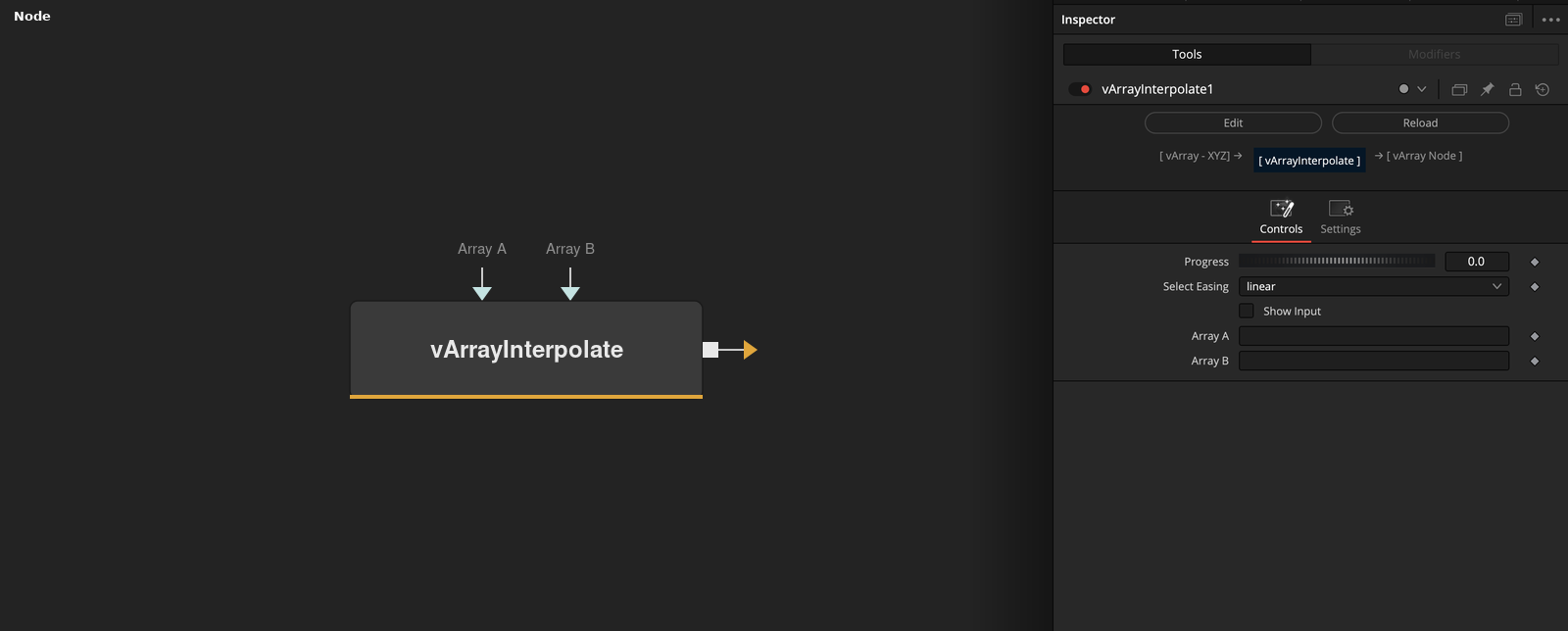
vArrayInterpolate blends element-by-element between Array A and Array B using a Progress value from 0 to 1. Multiple easing options control the interpolation curve, making it the primary node for smooth animated transitions between two point cloud states.
Parameters
| Parameter | Type | Default | Description |
|---|---|---|---|
| Progress | Integer | 0 | Blend position from 0.0 (Array A) to 1.0 (Array B). Keyframe this parameter to animate the morph over time. |
| Select Easing | Integer | 0 | Easing curve applied to the Progress value: 0 = Linear, 1 = Ease In, 2 = Ease Out, 3 = Ease In-Out, 4 = Back. |
| Show Input | Checkbox | 0 | Reveals the Array A and Array B connection ports on the node in the Fusion node graph. |
| Array A | Float | — | First vArray state — the output at Progress 0.0. Must have the same element count as Array B. |
| Array B | Float | — | Second vArray state — the output at Progress 1.0. Must have the same element count as Array A. |
Read the full description
vArrayInterpolate performs a per-element linear or eased blend between two vArrays of equal length. At Progress 0.0 the output equals Array A exactly; at 1.0 it equals Array B exactly; at 0.5 each element is the midpoint between the two inputs. This makes it the canonical morph node for animated layout transitions in the vArray system.
The Select Easing dropdown applies a non-linear curve to the Progress value, transforming what would be a mechanical linear blend into a smooth acceleration or deceleration. Ease In, Ease Out, Ease In-Out, and Back variants are available, making transitions feel physically plausible without needing separate expression-based easing on the Progress parameter.
A key workflow is morphing between two structurally different point layouts — such as a grid transitioning to a sphere — by connecting vArrayPointsOnGrid to Array A and vArrayPointsOnSphere to Array B, then animating Progress from 0 to 1. Both arrays must have the same element count; mismatched lengths will produce unexpected results. Connect the output to vArrayCameraProjection and vArrayShapeRender for the final render.
Example Connections
- Grid-to-sphere morph
- Circle-to-random transition
vArrayPointsOnGrid.Output -> vArrayInterpolate.ArrayA
vArrayPointsOnSphere.Output -> vArrayInterpolate.ArrayB
vArrayInterpolate.Output -> vArrayCameraProjection.ArrayA
vArrayCameraProjection.Output -> vArrayShapeRender.ArrayPoint
vArrayPointsOnCircle.Output -> vArrayInterpolate.ArrayA
vArrayCreateRandom.Output -> vArrayInterpolate.ArrayB
vArrayInterpolate.Output -> vArrayCameraProjection.ArrayA