vArrayPointsOnArc
Distribute a precise point array along an arc — fan layouts, radial data visualisation, animated sweeps.
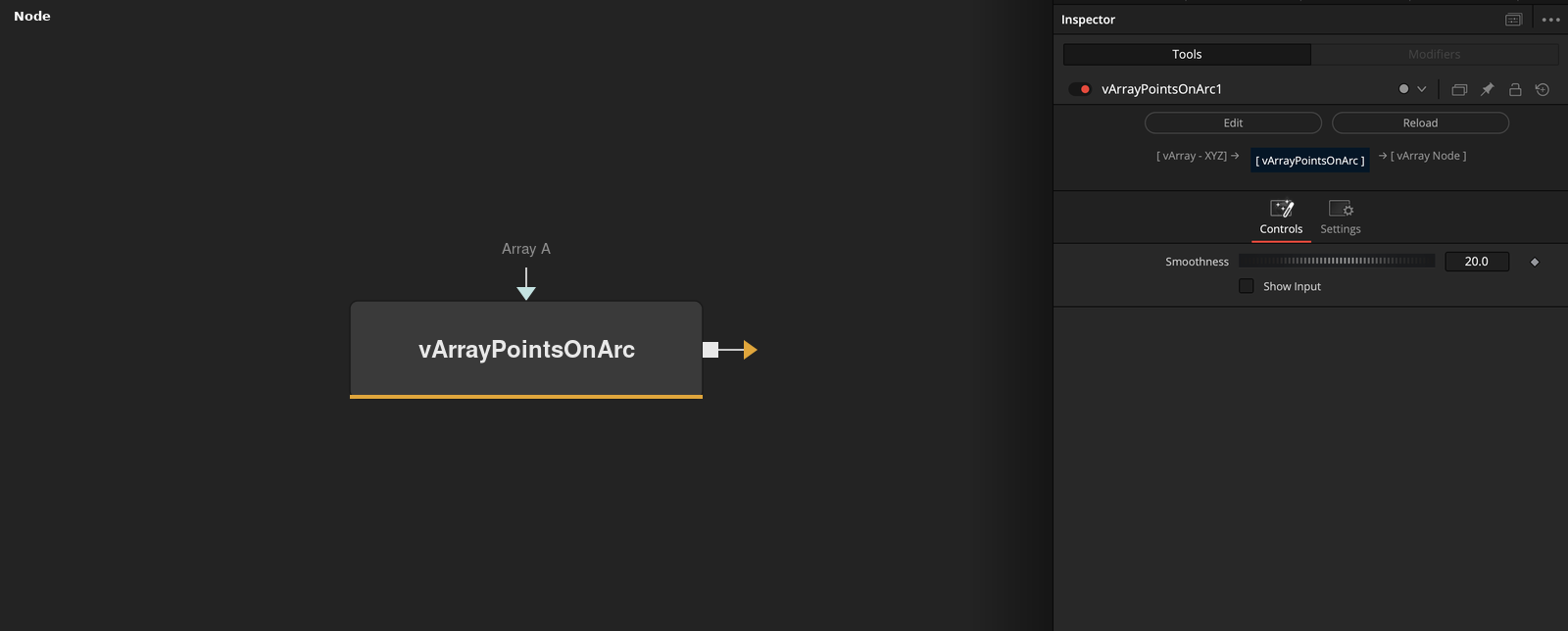
vArrayPointsOnArc generates a structured array of 2D or 3D points distributed along a defined arc. It is intentionally minimal — the arc geometry is driven entirely by an upstream array input, keeping this node as a clean transformer rather than a generator with its own controls.
Parameters
| Parameter | Type | Default | Description |
|---|---|---|---|
| Smoothness | Integer | 20 | Number of interpolated segments used to compute the arc curve. Higher values produce smoother arcs; lower values produce faster, more angular results. Values above 50 are rarely needed unless rendering at very large scale. |
| Array A | Array | — | Required. The input array that defines the arc's angular span and point count. Connect vArrayCreateMinMax here — its X Min/Max define the start and end angles, and its Array Length defines how many points are distributed along the arc. |
| Show Input | Checkbox | Off | Reveals the ArrayA input port on the node in the Fusion flow. Enable this if the input connection is not visible. Normally not needed — the input is connected regardless of whether the port is shown. |
Read the full description
vArrayPointsOnArc generates a structured array of 2D or 3D points distributed along a defined arc. Where vArrayPointsOnCircle gives you a full 360° ring, PointsOnArc gives you surgical control — define the exact start and end angle, the radius, and the center point independently. This makes it the right choice for fan-shaped data visualisations, clock-style progress indicators, radial label placement, and any layout where the arc needs to occupy a specific angular range rather than a full revolution.
The node is driven by its ArrayA input, which defines the angular span as a vArray range. In practice this is almost always the output of vArrayCreateMinMax — set Min to your start angle and Max to your end angle, and PointsOnArc distributes the requested number of points evenly across that range. Because the span comes from an upstream node rather than being hardcoded, it stays live: animate or keyframe the Min/Max values and the arc responds every frame without breaking the rest of the pipeline.
The Smoothness control sets how many intermediate segments are used to compute the arc geometry — higher values produce a rounder, more precise curve, lower values produce a faster, more angular approximation. The output is a standard vArray XYZ point table, meaning it slots directly into vArrayCameraProjection, vArrayDisplaceValues, vArrayStagger, or any other modifier without conversion. A minimal pipeline is three nodes: vArrayCreateMinMax → vArrayPointsOnArc → vArrayCameraProjection → vArrayShapeRender with a Background input.
Example Connections
- Standard arc pipeline
- With displacement before projection
- With staggered animation
vArrayCreateMinMax.Output -> vArrayPointsOnArc.ArrayA
vArrayPointsOnArc.Output -> vArrayCameraProjection.ArrayA
vArrayCameraProjection.Output -> vArrayShapeRender.ArrayPoint
Background.Output -> vArrayShapeRender.Input
vArrayCreateMinMax.Output -> vArrayPointsOnArc.ArrayA
vArrayPointsOnArc.Output -> vArrayDisplaceValues.ArrayA
vArrayDisplaceValues.Output -> vArrayCameraProjection.ArrayA
vArrayCameraProjection.Output -> vArrayShapeRender.ArrayPoint
Background.Output -> vArrayShapeRender.Input
vArrayCreateMinMax.Output -> vArrayPointsOnArc.ArrayA
vArrayPointsOnArc.Output -> vArrayStagger.ArrayA
vArrayStagger.Output -> vArrayCameraProjection.ArrayA
vArrayCameraProjection.Output -> vArrayShapeRender.ArrayPoint
Background.Output -> vArrayShapeRender.Input