vArrayTranslate
Shift every point in a vArray by a constant XYZ offset — the simplest way to reposition a point cloud in world space.
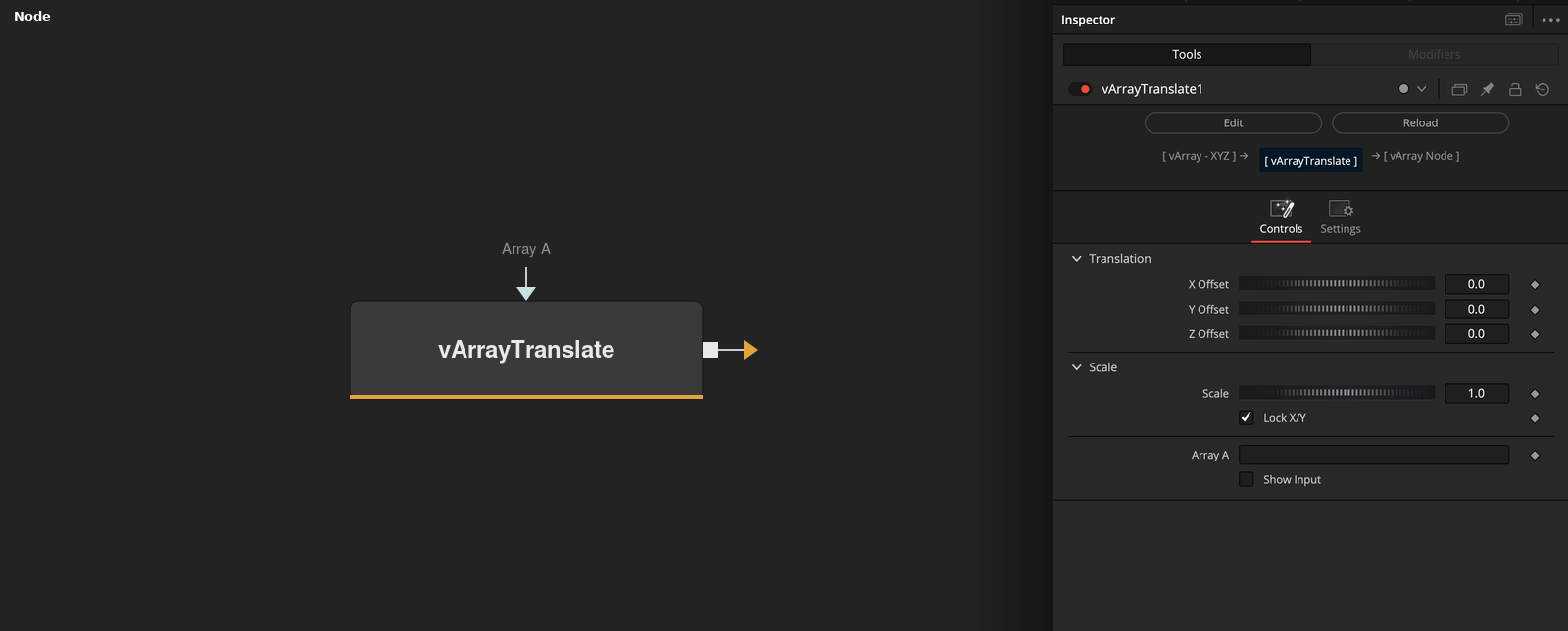
vArrayTranslate adds a fixed offset to the X, Y, and Z coordinates of every element in a vArray. Place it after any generator to recentre, spread, or stack point arrays before rendering.
Parameters
| Parameter | Type | Default | Description |
|---|---|---|---|
| X Offset | Integer | — | Moves all array points along the X axis by this amount. Keyframe to animate horizontal position. |
| Y Offset | Integer | — | Moves all array points along the Y axis by this amount. Keyframe to animate vertical position. |
| Z Offset | Integer | — | Moves all array points along the Z axis. Useful for stacking multiple point arrays at different depths. |
| Lock X/Y | Checkbox | 1 | When enabled, X and Y offsets move together to maintain proportional horizontal positioning. |
| X Scale | Integer | 1.0 | Scales the horizontal spread of the array independently of the translation offsets. |
+2 more parameters
| Parameter | Type | Default | Description |
|---|---|---|---|
| Array A | Float | — | The input vArray whose XYZ positions will be offset. |
| Show Input | Checkbox | 0 | Reveals the Array A connection port on the node in the Fusion node graph. |
Read the full description
vArrayTranslate is the positional offset node for vArray pipelines. After a generator like vArrayPointsOnGrid or vArrayPointsOnCircle produces a point cloud, place vArrayTranslate immediately downstream to shift the entire set to a new location without touching the generator's own parameters.
X Offset, Y Offset, and Z Offset each accept keyframe-able values, making it straightforward to animate the entire point array flying through frame. Lock X/Y constrains horizontal movement to a uniform scale, and X Scale adjusts the horizontal spread independently of the translation offsets.
A common use case is stacking several generator outputs — each feeding its own vArrayTranslate with a different Z Offset — then combining them with vArrayMerge before passing the combined array to vArrayShapeRender. This avoids needing duplicate generator logic and keeps the node graph readable.
Example Connections
- Reposition a grid before rendering
- Stack two arrays at different depths
vArrayPointsOnGrid.Output -> vArrayTranslate.ArrayA
vArrayTranslate.Output -> vArrayCameraProjection.ArrayA
vArrayCameraProjection.Output -> vArrayShapeRender.ArrayPoint
vArrayPointsOnCircle.Output -> vArrayTranslate.ArrayA
vArrayTranslate.Output -> vArrayMerge.Array1
vArrayMerge.Output -> vArrayShapeRender.ArrayPoint