vArrayMapRange
Remap every value in a point array from one numeric range to another — the essential normalisation and scaling step between generators and renderers.
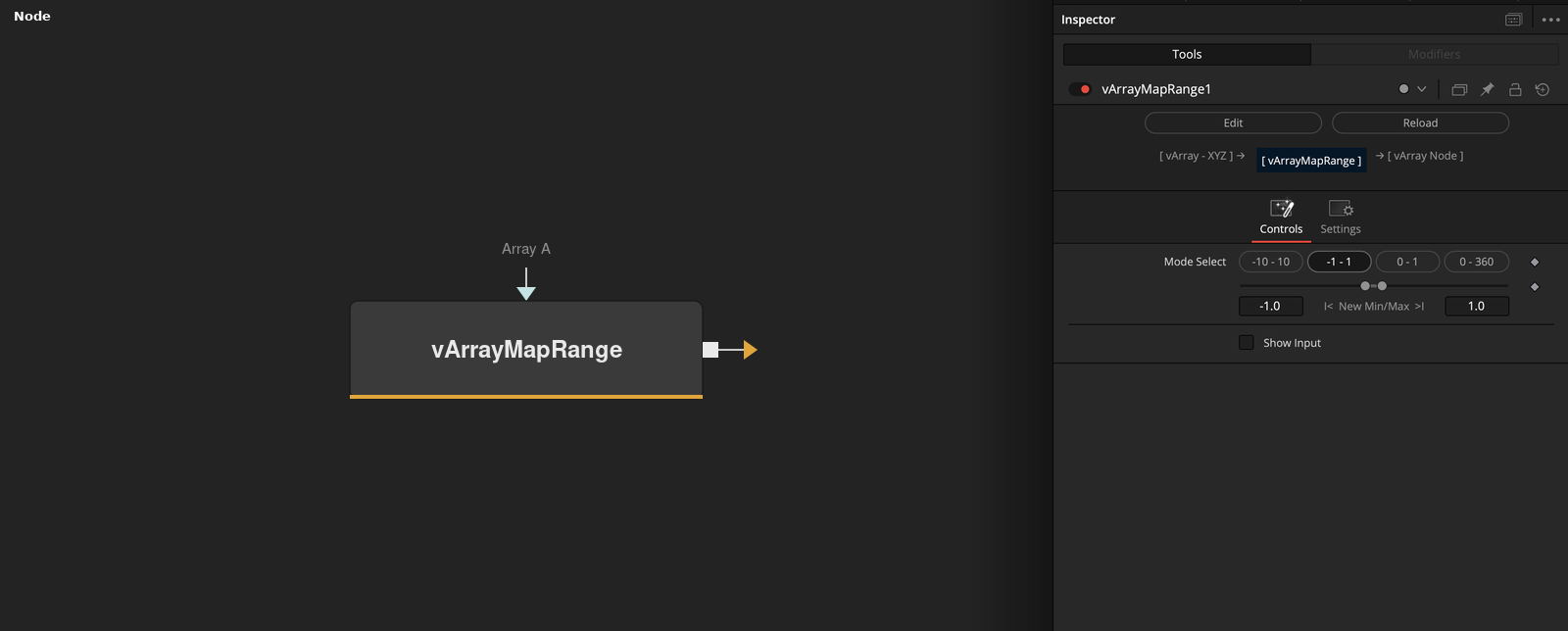
vArrayMapRange applies a range-mapping operation to every value in an upstream vArray, translating coordinates or numeric data from one input range into a target output range. Place it between any generator or modifier and vArrayCameraProjection to normalise, invert, or rescale point positions before rendering.
Parameters
| Parameter | Type | Default | Description |
|---|---|---|---|
| Mode Select | Integer | 1 | Selects the remapping mode applied to all values in the array. Each integer index corresponds to a different strategy (clamped linear, unclamped, normalised, etc.). Check the Fusion UI tooltip for the mode index labels for your fuse version. |
| Show Input | Checkbox | Off | Reveals the ArrayA input port, allowing an upstream point array to be connected for range remapping. |
| Array A | Array | — | Primary point array input. Connect any upstream vArray generator or modifier here to apply range mapping to its values. |
Read the full description
vArrayMapRange is a precision scaling node that applies Fusion-style range remapping to every value in a vArray point table. Where a generator like vArrayPointsOnGrid outputs coordinates in its own internal units, MapRange lets you translate those values into whatever numeric range a downstream node expects — without expressions, Lua scripting, or modifier chains. The operation is applied per-value across the entire array in a single pass.
The Mode Select control switches between different remapping behaviours — for example, clamped linear mapping, unclamped extrapolation, or normalised 0–1 output. Because the extracted parameter type shows as Integer, it functions as a mode switcher rather than a continuous slider; each integer value selects a distinct mapping strategy. Check the UI tooltip in Fusion for the mode index labels, as these vary by fuse version.
In a typical pipeline, MapRange sits after a displacement or generator node and before vArrayCameraProjection. A common use case is normalising vArrayDisplaceValues output — the displacement can push coordinates outside the 0–1 normalised range, and MapRange clamps or remaps them back into a renderable space. It also works well after vArrayMath when arithmetic operations have shifted the value range beyond what ShapeRender expects.
Example Connections
- Remap after displacement
- Normalise generator output
vArrayPointsOnGrid.Output -> vArrayDisplaceValues.ArrayA
vArrayDisplaceValues.Output -> vArrayMapRange.ArrayA
vArrayMapRange.Output -> vArrayCameraProjection.ArrayA
vArrayCameraProjection.Output -> vArrayShapeRender.ArrayPoint
Background.Output -> vArrayShapeRender.Input
vArrayCreateMinMax.Output -> vArrayMapRange.ArrayA
vArrayMapRange.Output -> vArrayCameraProjection.ArrayA
vArrayCameraProjection.Output -> vArrayShapeRender.ArrayPoint
Background.Output -> vArrayShapeRender.Input