vArrayMath
Apply add, subtract, multiply, or divide to every element in a vArray — the essential arithmetic node for data-driven motion.
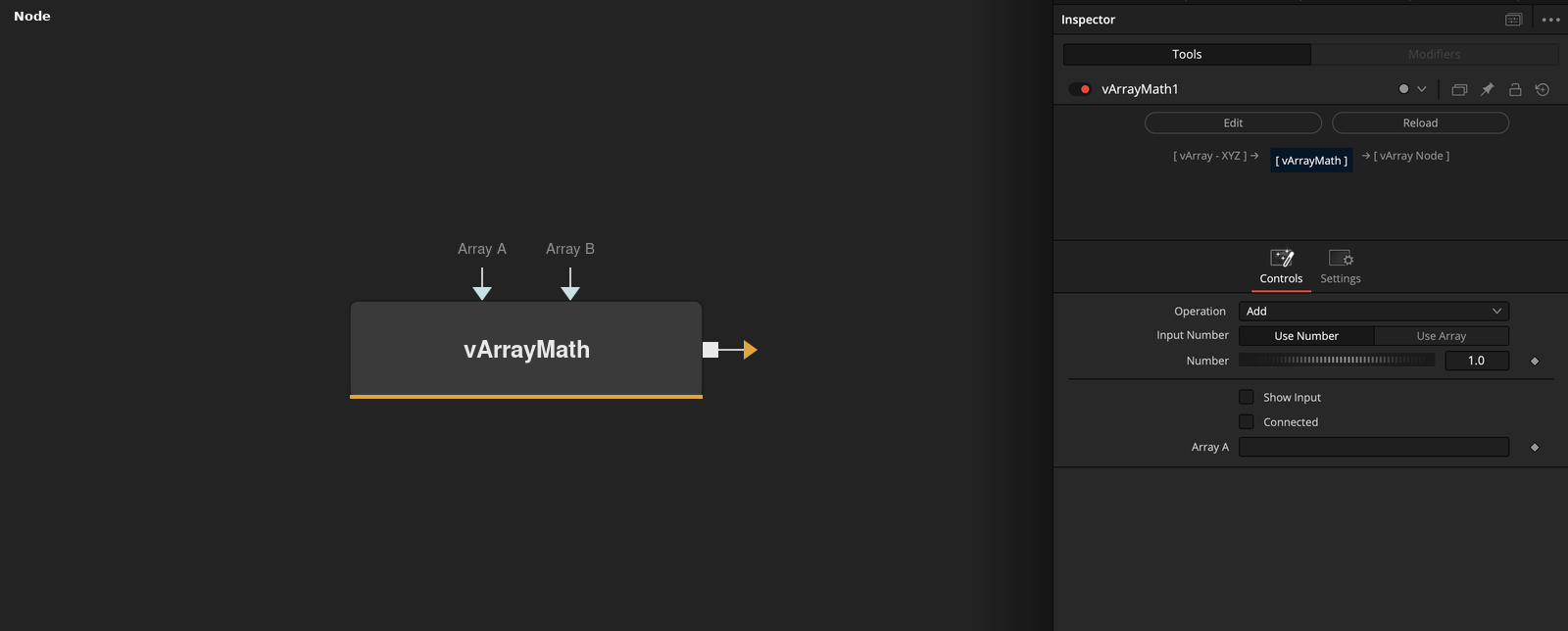
vArrayMath applies a scalar or per-element arithmetic operation to a vArray. Place it anywhere in the pipeline to scale, offset, or combine numeric arrays before passing them to renderers or downstream modifiers.
Parameters
| Parameter | Type | Default | Description |
|---|---|---|---|
| Which | Integer | — | Selects which element index (1–64) the operation targets. Useful when modifying a single value within the array rather than every element. |
| Operation | Dropdown | 0 | Selects the arithmetic operation to apply: Add, Subtract, Multiply, Divide, Power, or Modulo. |
| Input Number | Integer | 0 | Toggles the secondary Array B input port. Set to 1 to expose Array B for per-element operations between two arrays. |
| Number | Integer | 1 | The scalar operand used when Array B is not connected. For Multiply, 1 = no change; for Add, 0 = no change. |
| Show Input | Checkbox | 0 | Reveals the Array B connection port on the node in the Fusion node graph. |
+3 more parameters
| Parameter | Type | Default | Description |
|---|---|---|---|
| Connected | Checkbox | 0 | Internal state flag indicating whether Array B is currently connected. Read-only in normal use. |
| Array A | Float | — | Primary vArray input. All elements in this array are processed by the selected operation. |
| Array B | Float | — | Optional secondary vArray input for per-element operations. Must be the same length as Array A. |
Read the full description
vArrayMath is the go-to arithmetic node in the vArray toolkit. Connect Array A (and optionally Array B), select your operation from the dropdown — Add, Subtract, Multiply, Divide, Power, Modulo, and more — and every element in the array is transformed in a single pass. The result feeds directly into any downstream vArray node.
The Which parameter targets a specific element index (1–64) when you only want to modify part of the array rather than applying the operation globally. Toggle Show Input to expose Array B for per-element operations between two arrays, or leave it off to use the static Number value as the operand.
Use vArrayMath to normalise ranges after vArrayMapRange, to scale displacement magnitudes before vArrayDisplaceValues, or to combine two numeric datasets from separate vArrayCreate nodes. Its minimal interface keeps the node graph clean while handling the arithmetic layer that almost every intermediate workflow requires.
Example Connections
- Scale displacement magnitude
- Combine two data sources
vArrayCreateMinMax.Output -> vArrayMath.ArrayA
vArrayMath.Output -> vArrayDisplaceValues.ArrayA
vArrayDisplaceValues.Output -> vArrayCameraProjection.ArrayA
vArrayCreate.Output -> vArrayMath.ArrayA
vArrayCreateRandom.Output -> vArrayMath.ArrayB
vArrayMath.Output -> vArrayShapeRender.ArrayPoint